Wednesday, September 13, 2017

How to install FVDI 2015 and FVDI v2015 ABRITES Commander Introduction

FVDI 2015 ABRITES Commander 18 in 1 Introduction:

Model name : 2015 FVDI Full with Usb Dongle,100% Working!!!
Software Version:18 brand softwares ,different versions
Update:No Update Now
Car Models:Multi-cars
Languages:Multi-languages
Functions:Diagnose + Odometer Correction+ Key Programmer + ECU Programmer
Connection:By OBD2.

Link here :   FVDI 2015                          FVDI 2014

For example FVDI 2015 Benz installation

Step 1: Download ” FVDI V2015_6.2″ “CDM20814” “FWDownloader” and unzip themHigh Quality 2015 FVDI 2015 Full Version with 18 software
Step 2: Open FVDI 2015_ 6.2, setup “Adobe Reader 9”
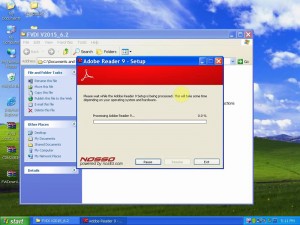
Newest 2015V FVDI Full Version (Including 18 Software)
Step 3: In the folder “FVDI 2015_6.2”, click “Setup” to complete Abrites Commander Software setup Wizard.
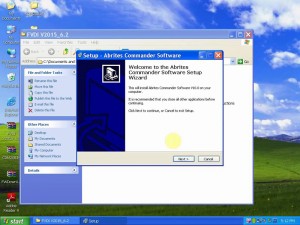
Sale FVDI Full Version ABRITES Commander Diagnostic
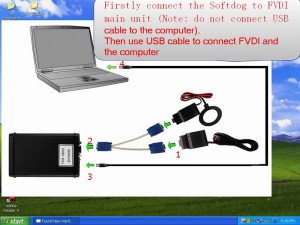
Step 5: This is connection instruction:
When ready to get authorization for FVDI 2015, operate by following the next steps:
Fvdi 2015 Full Software Version Currently FVDI is Distributed with Following Diagnostic
1). Connect the Softdog to FVDI. Do not connect Softdog to the computer, otherwise the Softdog green light or red light will on, and result in authorization fail.
2). Use USB cable to connect FVDI and the computer, but do not connect FVDI to the car. Wait until FVDI green light on and Softdog red light on, you succeed getting authorization. If FVDI red light on or Softdog green light on, repeat the above steps.
After get authorization for FVDI, follow the next steps to connect.
1). Connect the Softdog to FVDI (Note: do not connect Softdog to the computer).
2). Use USB cable to connect FVDI and the computer. Wait until FVDI green light on and Softdog red light on, connect Softdog USB cable to the computer. During the procedure, the Softdog red light keeps on (Note: do not connect FVDI to the car)
3). Till the above 2 steps work well, connect FVDI to the car.
Step 6: Connect FVDI to the computer, and computer found new hardware.
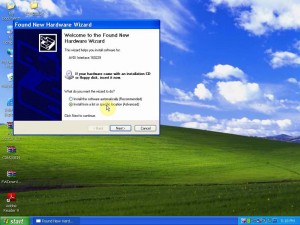
 FVDI users follow the next steps to install FVDI 2015
Step 7: Browse folder “CDM20814” to setup driver into it.
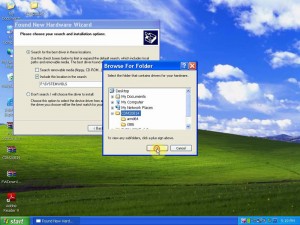
2017 Unlimited FVDI 2015 2016 ABRITES Commander 18 Softwares Full Version
Step 8: Finish the software for USB Serial Converter
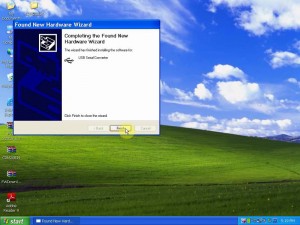
FVDI 2015 with USB dongle software required to be installed on Win XP system
Step 9: another window pops up “Found new hardware”, repeat the last steps and finish the software for USB Serial Port.
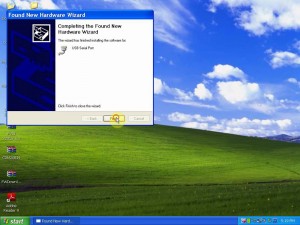
2015 FVDI with software USB dongle has currently distributed
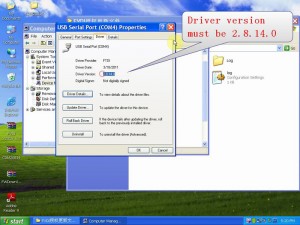
Step 10: Open Device Manage-USB Serial Port(COM4) – right click “Properies” – Driver- the Driver version must be 2.8.14.0.
Then find out “USB Serial Converter”, right click “properties” – Driver-the Driver version must be 2.8.14.0.
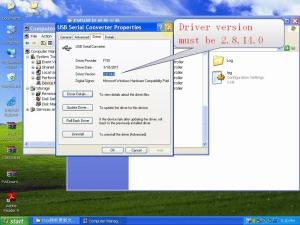
2015 FVDI 2015 Full Version with 18 software activated
Cracked FVDI abrites commander is 2015 FVDI full version without usb dongle
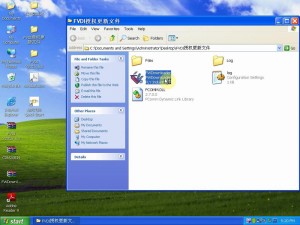
Step 11: Open “FWDownloader” and check if it is available with newest version.
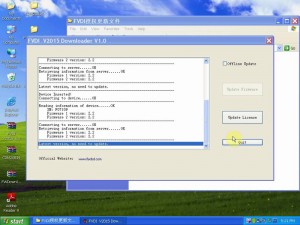
FVDI ABRITES Commander Full version with 18 software can fault code
Free Download 2015 FVDI ABRITES V6.3 Software 2015 FVDI ABRITES
Step 12: Open “Abrites Quick Start”, Click Logo “Mercedes Benz” , one window pops up saying ” Connecting to server…..OK”, which means the computer is network connected. Click “Ok”, then it displays “Days remain: 361” which means FVDI is activated for 361 days, click “Close”.
Note: after FVDI 2015 is activated by FLYOBD Company, it is okay to use it without network connection. If the network disconnect, you get message “Connecting to server……Failed”, it is normal, ignore it. Until the authorized days expire, connect the network to active again.
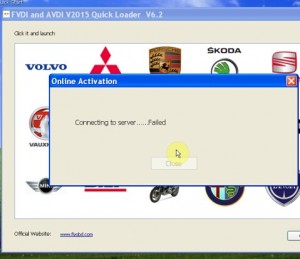
LATEST VERSION FVDI 2015 FULL ALL 18 SOFTWARES
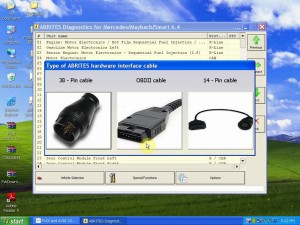
Step 13: Choose “OBDII cable”
How to Upgrade 2015 fvdi for PEUGEOT to FVDI Full Version
Step 14: Select Vehicle information to scan.
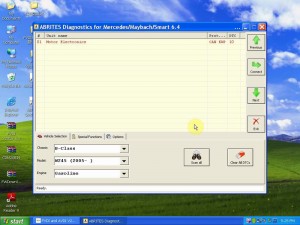
2015 FVDI ABRITES Commander Full Software Install Video
======================= E-mail:buyobd@gmail.com Skype:Marshall.obd2 Whatsapp:86-13476108995
Website : www.buyobdii.com
=======================

Tuesday, September 12, 2017

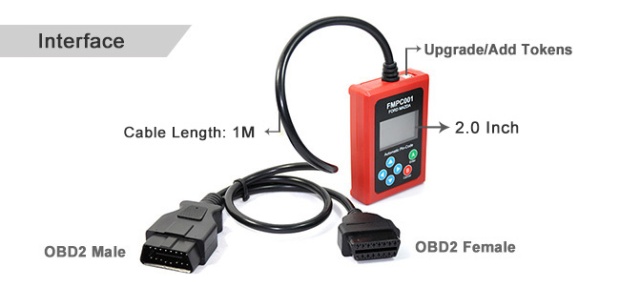
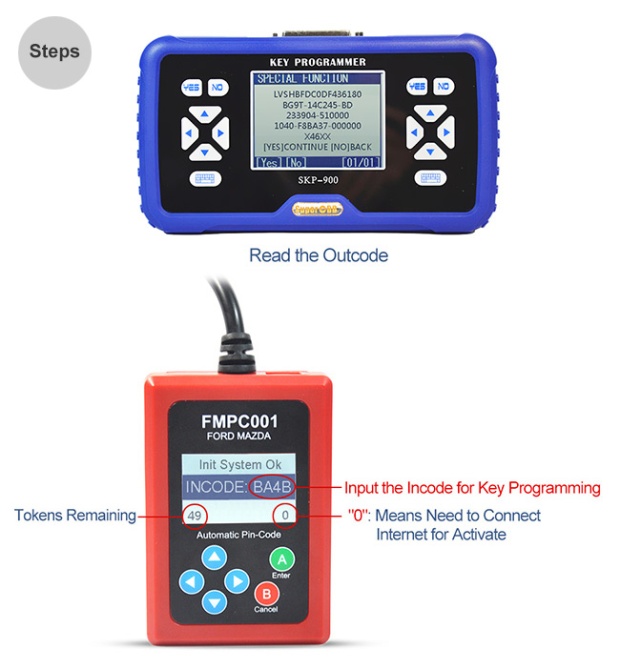
2017 FMPC001 V1.7 fmpc001 ford mazda automatic pin-code reader instructions

Ford FMPC001 V1.7 incode calculator


2017 FMPC001 V1.7 instructions :

FMPC001 V1.7 fmpc001 ford mazda automatic pin-code reader

1. No computer needed, just connect to OBD2 connector and play!
2. Support 6 digits OUTCODE transfer to 4 digits INCODE for old Ford and Mazda.
3. Also work for 2014+ new Focus3, 2010+ Kuga, 2014+ Mondeo, etc.
4.Without Tokens limitation
5. Update by CD

Ford FMPC001 incode calculator Notice:


For most Ford/Mazda models, FMPC001 doesn't need tokens. But for latest Ford Mondeo, Ford ESCORT, Ford Mustang and so on, still need tokens. This machine comes with 50 tokens. After tokens are used up, you can buy tokens from us, 109USD for 50 tokens.

V1.7 FMPC001 Ford/Mazda Add more features 

Ford FMPC001


1) Ford FMPC001 new Modeo with color screen dash odometer correction (free)
2) Ford Escape with monochrome screen dash odometer correction (free)
3) Support Landrover Evoque odometer correction (free)
4) Support Range Rover sports odometer correction (free)
5) Support Land rover Freelander 2014 up odometer correction (free)
6) Change Land rover navigation system from English to Chinese (free)


Ford FMPC001 FORD/MAZDA INCODE Calculator V1.7 Update:


1. Directly match key for newest Ford Mustang with smart card, no need pin code and connect with other devices.
2. Reset the odometer in dash S-MAX 2 (error 1 KM)
3. Rest the odometer for Land Rover Discovery 4, Land Rover Chief edition and Jaguar (error 1 KM)
4. Reset the odometer in monochrome screen dash for Mondeo (error 1 KM)
5. Support Land Rover Discovery 4 2010 – 2014 (L319) All key lost(No need to remove BCM)
6. Support Land Rover Range Rover Sport 2010-2013 (L320) All key lost(No need to remove BCM)
7. Support Land Rover Range Rover Sport 2014-2015 (L494) All key lost(No need to remove BCM)
8. Support Land Rover Range Rover Chief edition 2010-2012 (L322) All key lost(No need to remove BCM)
9. Support Land Rover Range Rover Chief edition 2013-2015 (L405) All key lost(No need to remove BCM)
10. Support Rover Aurora 2012-2015 (L538) All key lost(No need to remove BCM)
11. Support Jaguar XF 2013+ (X250) All key lost(No need to remove BCM)
12. Support Jaguar XJ 2010-2013 (X351) All key lost(No need to remove BCM)

Ford/Mazda FMPC001

Ford FMPC001 V1.7 Pin Code Reader Highlights

1. New MONDEO CHIA-X key programming directly (No need PIN code,no other tool supports except for original equipment)
2. New MONDEO CHIA-X Smart Card programming directly (No need pin code, no other tool supports except for original equipment)
3. 2014 ESCORT key programming directly (No need pin code, no other tool supports except for equipment)
4. Add KUGA password PIN code reading
5. Add Fiesta to read PIN code from Smart Card
6. Ford KUGA Odometer Correction
7. Ford Ecosport Odometer Correction
8. Ford Fiesta (new and old models) Odometer Correction
9. Ford Focus (new and old models) Odometer Correction
10. Ford Mondeo (before 2013) Odometer Correction


Link here :  http://www.buyobdii.com/for-fordmazda-fmpc001-incode-calculator-no-token-limitation-v17-p-679.html


Friday, September 1, 2017

KESS v4.036 Software is updated to V2.35 FREE DOWNLOAD !

KESS v4.036 Software is updated to V2.35, Here is KESS V2 2.35 WIN and XP installation guide!

Link here : KESS V4.036 Master Version Main   USD $85  Free Shipping
Link here : KTAG 7.020 Master Version Main   USD $139  Free Shipping
Free download :  KESS v4.036 Software  V2.35
How to install new K-suite v2.35 software WIN XP for KESS v4.036?
Note: Before installation, please disconnect all Internet connection!
Step 1
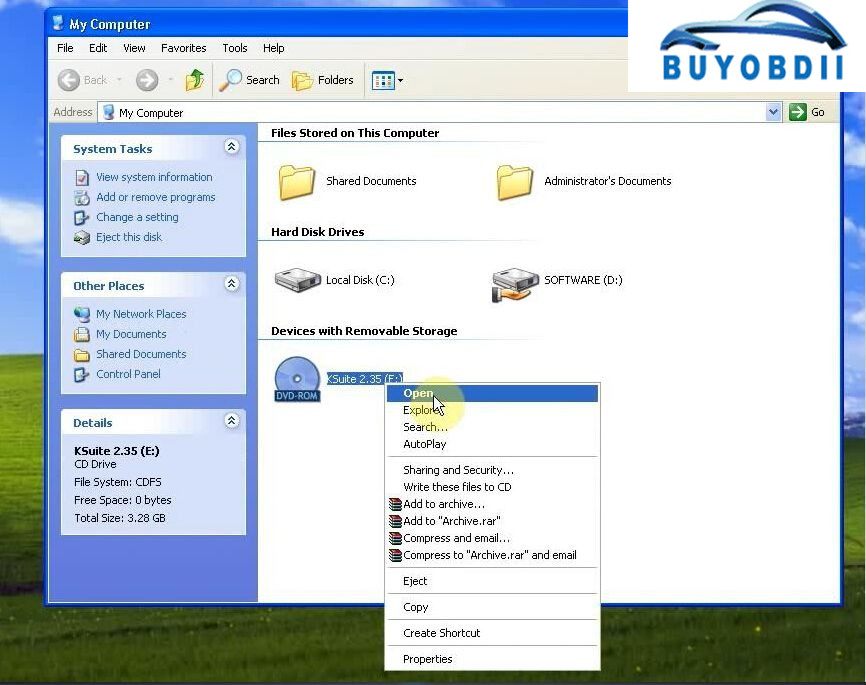
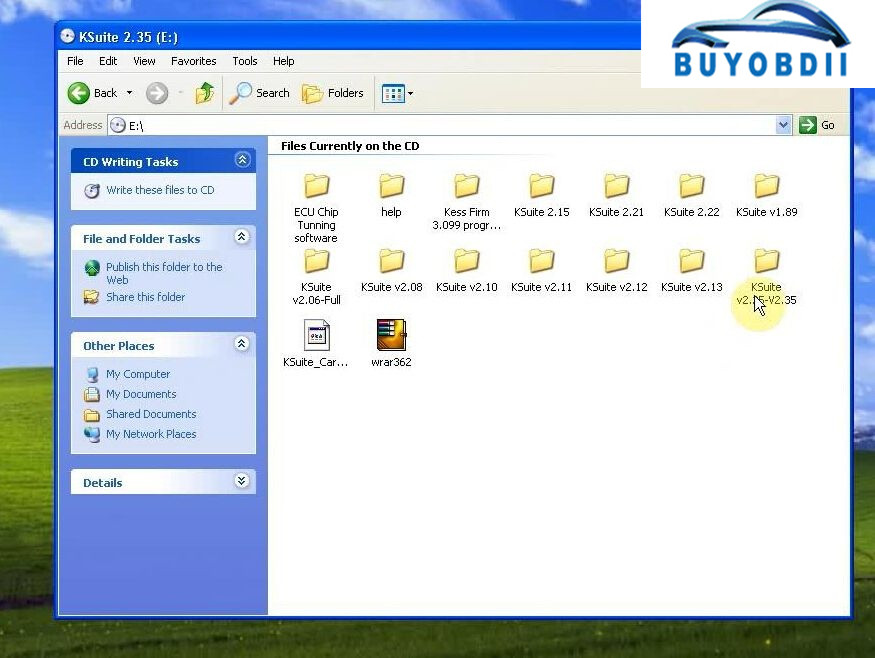
Open KSuite 2.35 (E:) and “KSuite V2.25-V2.35” folder.
kess-v2-firmware-fw-4-036-ksuite-2-35-software-installation-1Newest KESS V2 OBD2 Manager Tuning Kit FW 4.036 Software V2.35
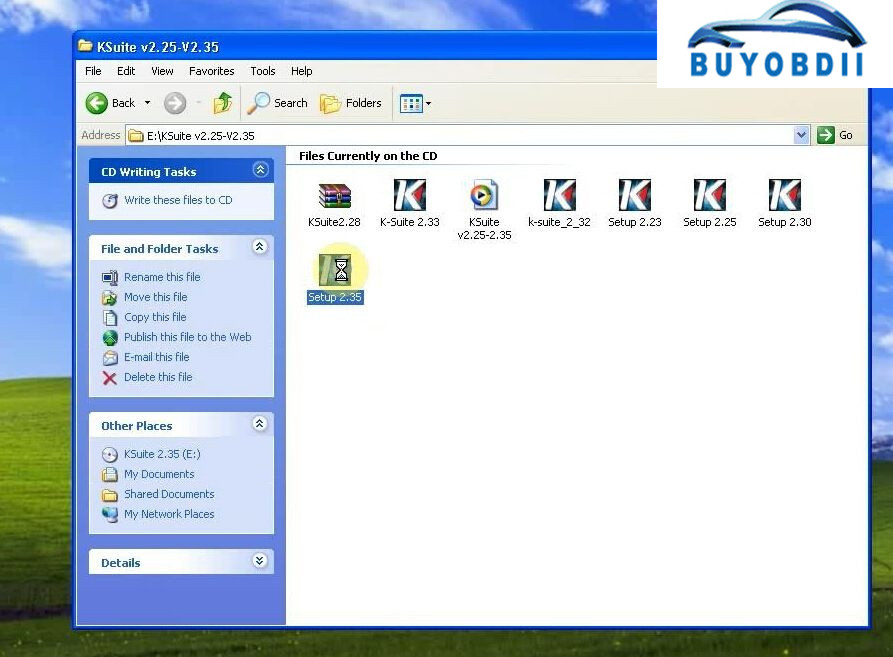
And run “Setup 2.35”, the KSuite V2.35 software setup file.
kess-v2-firmware-fw-4-036-ksuite-2-35-software-installation-3
Step 2
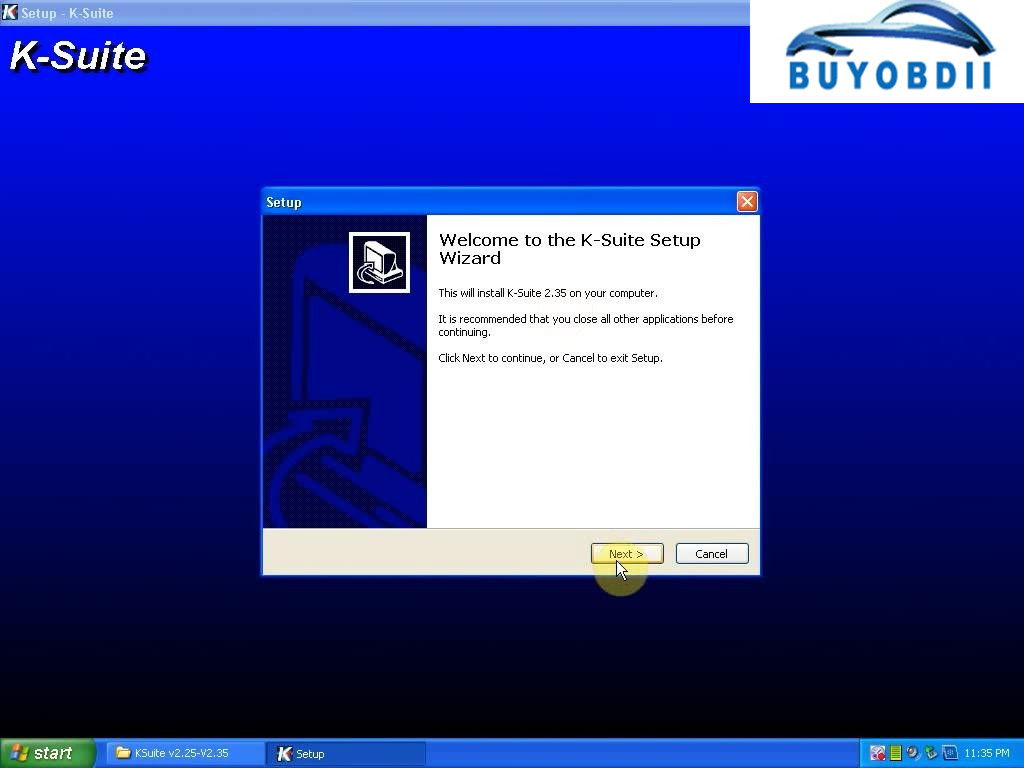
It will pop up K-Suite setup wizard as below:
Click “Next” → “I accept…” → “Next” → “Install”.
kess-v2-firmware-fw-4-036-ksuite-2-35-software-installation-4
Then click “Yes” to agree Microsoft Visual C++ 2005 License Terms.
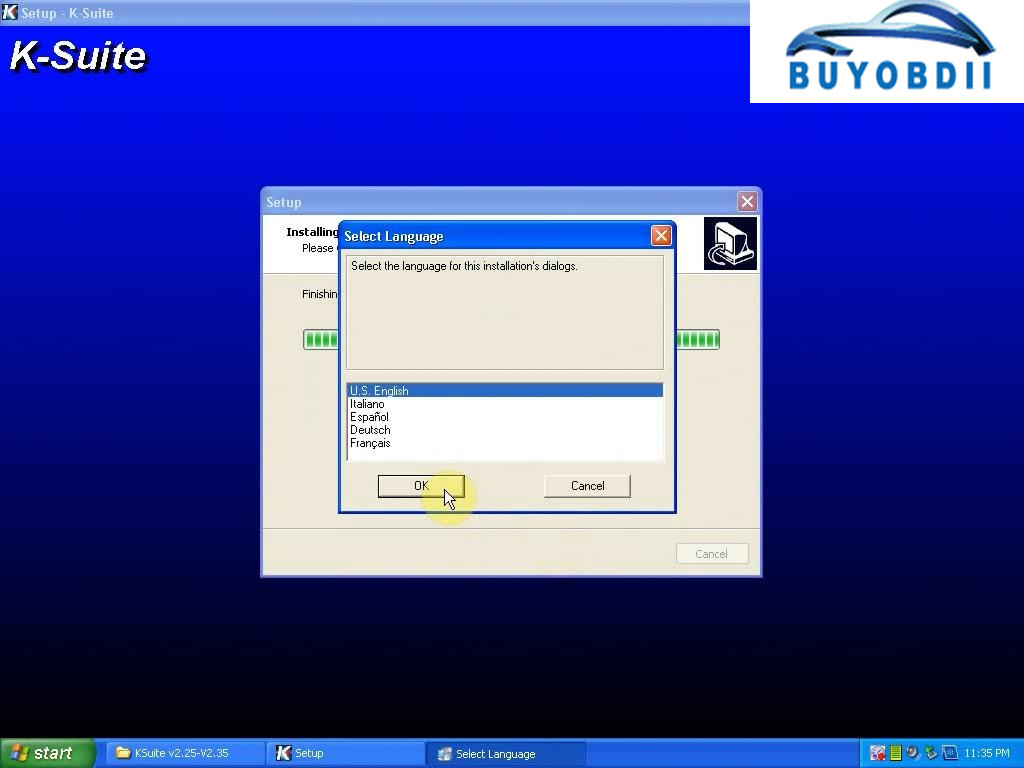
Select language as “U.S English”.
KESS V2 Software V2.35 Firmware V4.036 OBD2 Master ECU
Click “Next” until “Finish”.
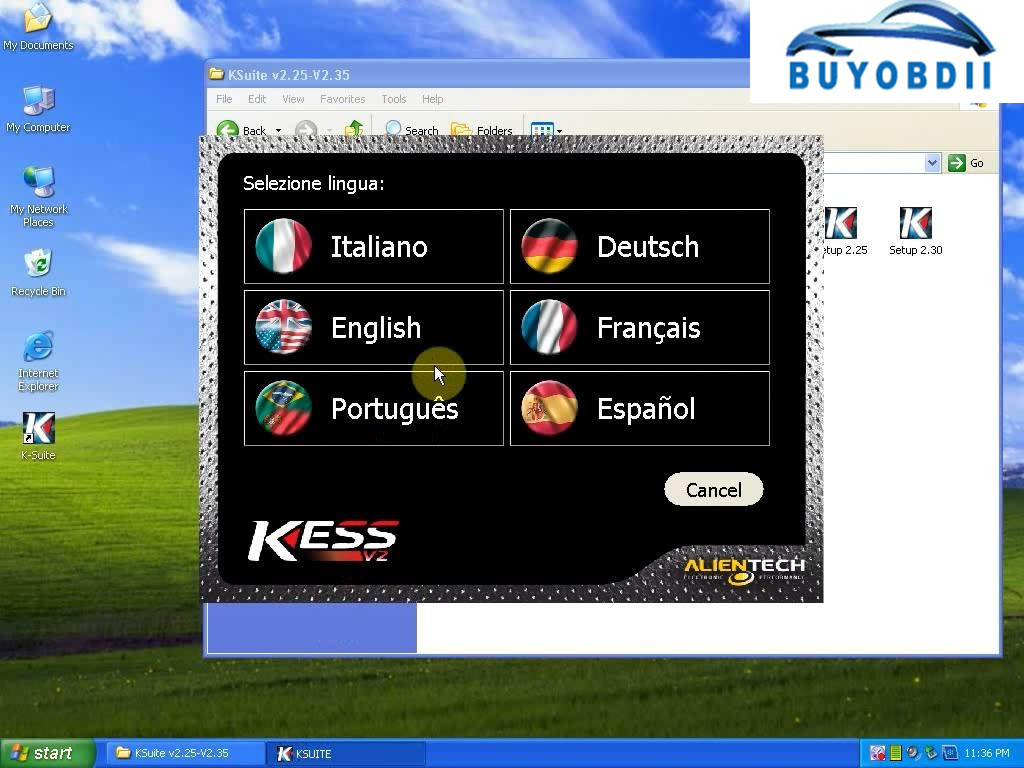
Click the “KSUITE” bar on the bottom of desktop.
Click to choose “English”.
Kess V2 MASTER V4.036
Step 3
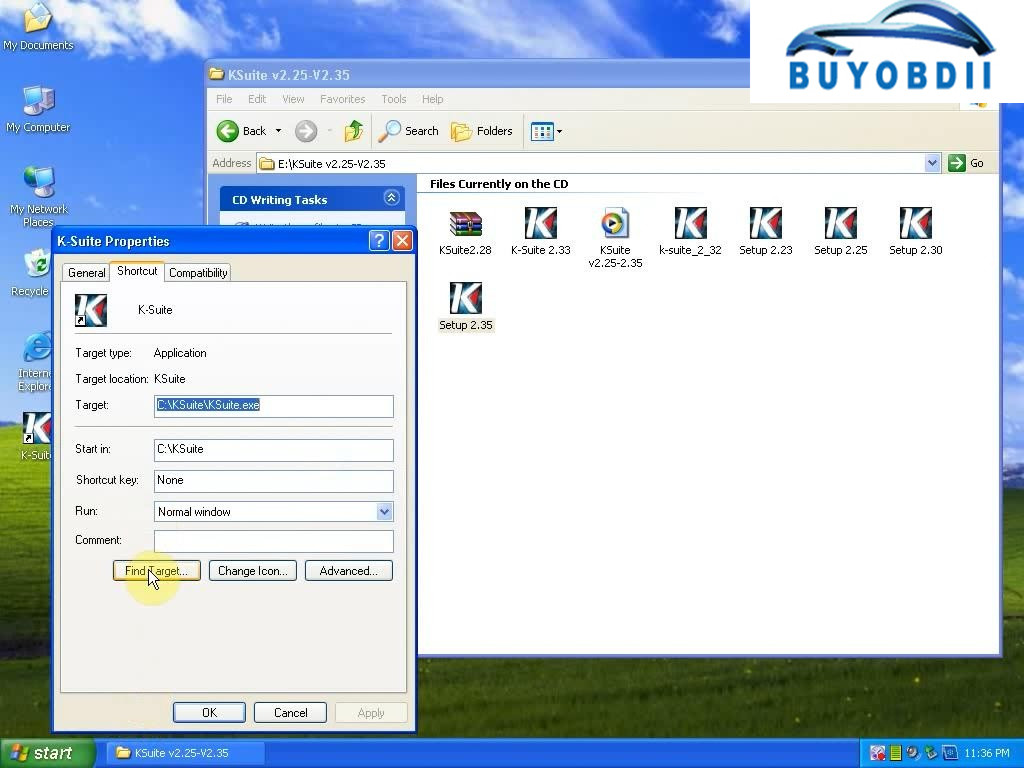
Right click the “K-Suite” shortcut and choose “Properties”.
Under the “shortcut” tab, click “Find target”.
HW V4.036 KESS V2 V2.33 OBD2 Manager Tuning
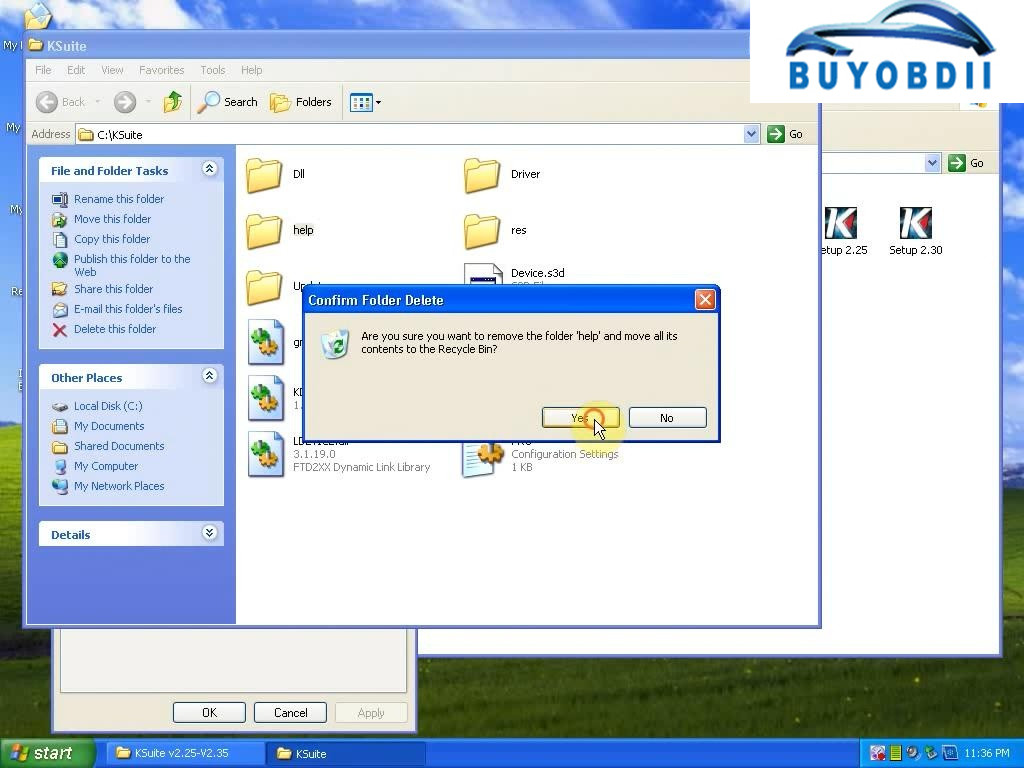
It will open the “KSuite” folder.
Delete the “help” folder.
New V2.35 Firmware V4.036 KESS V2 Unlimited Token Version best quality
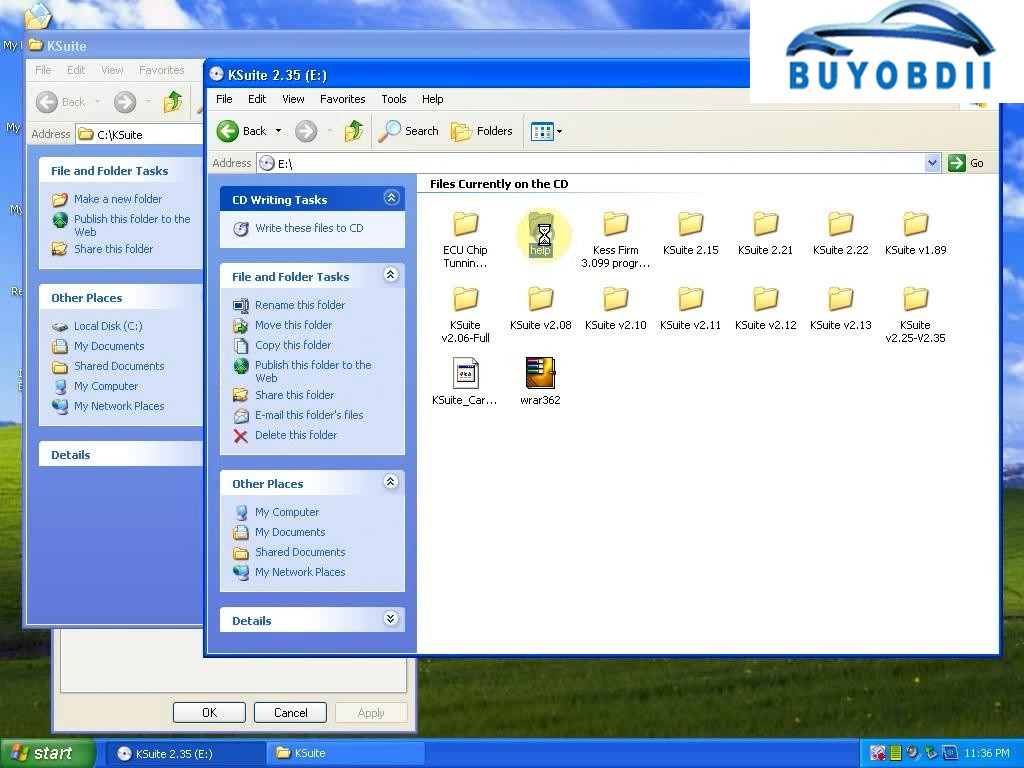
And go to KSuite 2.35 (E:), copy the “help” folder to “KSuite” folder.
FW V4.036 high quality KESS V2 OBD2 Manager Tuning
Step 4
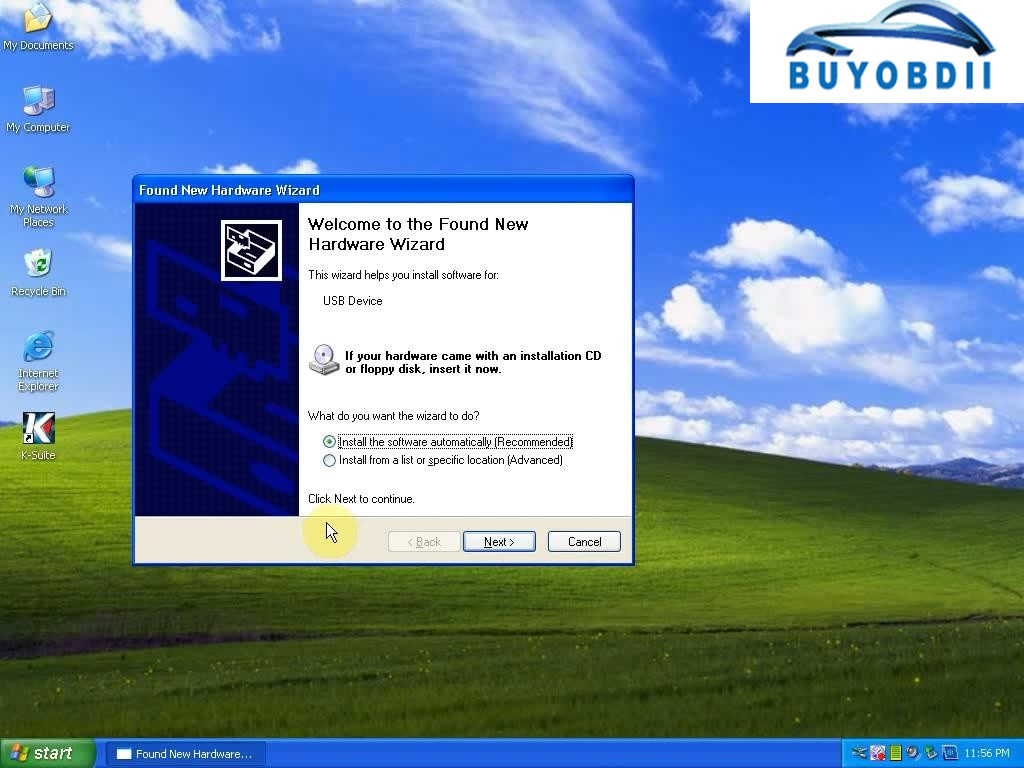
Then it will pop up a Found New Hardware Wizard.
Click “Next” then “Finish”.
Kess V2 MASTER V4.036
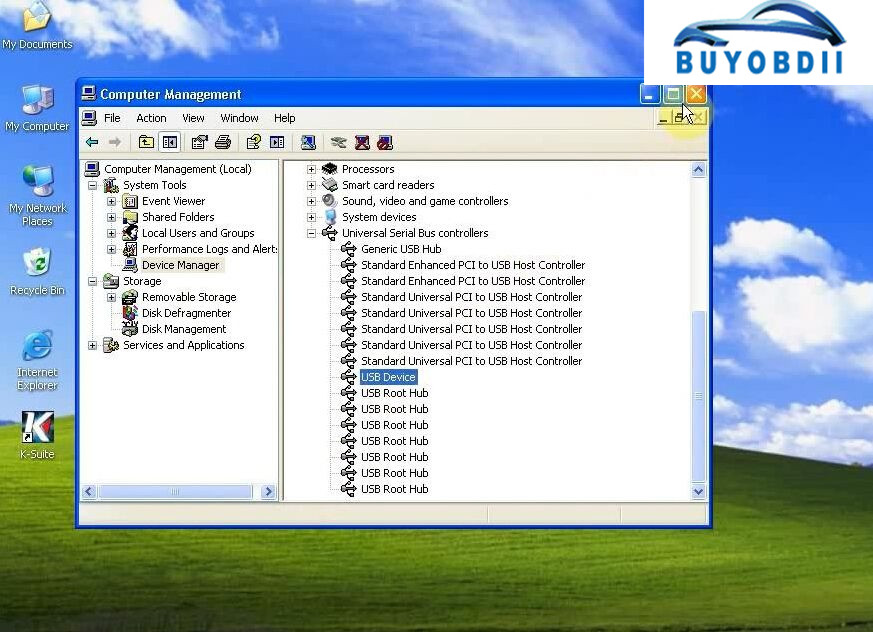
The USB Device is exist. (Right click “My Computer”→ “Manage”→ “Device Manager” to find it)
kess v2 firmware fw 4.036 ksuite 2.35 software installation
Now KESS V2 FW 4.036 Ksuite 2.35 installation is finish!
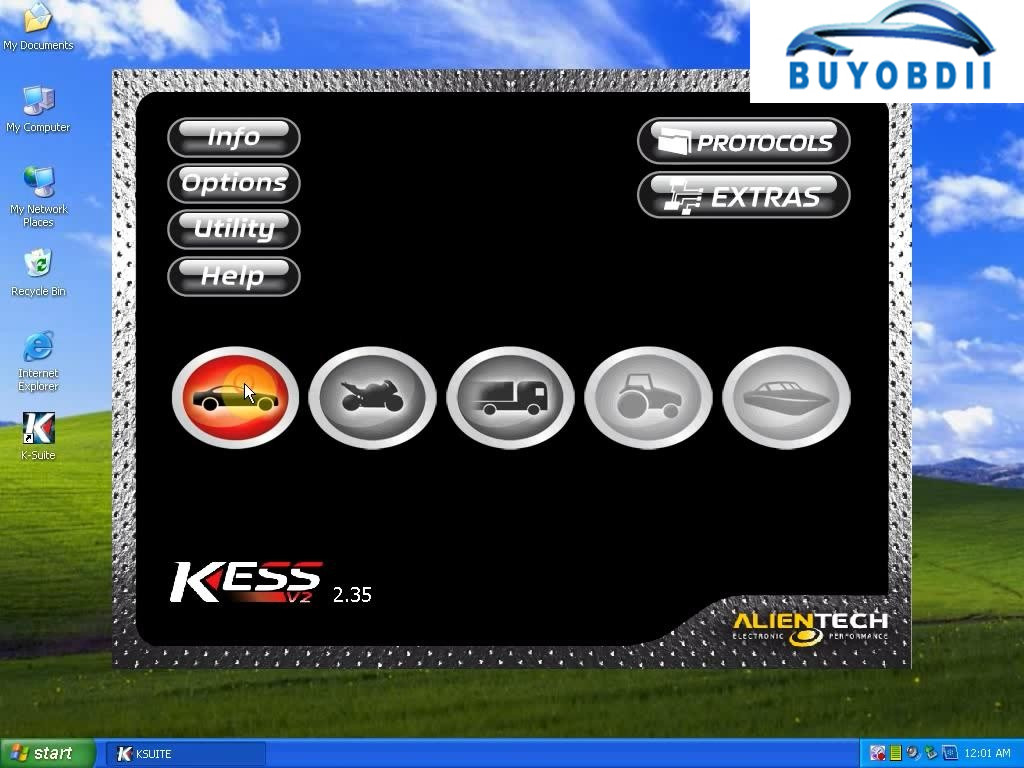
Open this new Ksuite 2.35 software and use it with KESS V2 4.036, no problem!
Tips: All KESS V2 FW 4.036 ECU programmers mentioned here has unlimited tokens!
Hot Sell KESS V2 V2.28 Newest OBD2 Manager Tuning Kit No Token Limit Kess V2 Master FW V4.036 Master Version

=======================
E-mail:buyobd@gmail.com
Skype:Marshall.obd2
Whatsapp:86-13476108995
Website : www.buyobdii.com
=======================
Saturday, July 8, 2017

How to use FVDI ABRITES Commander for Volvo V4.3

FVDI ABRITES Commander for Volvo


1. FVDI ABRITES Languages: English, German, Spanish, French, Portuguese, Russian, Italian, Danish, Czech, Bulgarian, Croatian, Greek, Hungarian, Polish, Romanian, Slovenian, Swedish, Turkish, Brazilian


2.
FVDI ABRITES Commander for VOLVO is software for diagnostic of VOLVO vehicles over CAN bus

3. Buy FVDI Volvo get Hyundai/Kia/Tag Key Tool Software Free, besides you can get free 20 Digit Nissan Pin Code Calculator Software too


Features:
1. Languages: English, German, Spanish, French, Portuguese, Russian, Italian, Danish, Czech, Bulgarian, Croatian, Greek, Hungarian, Polish, Romanian, Slovenian, Swedish, Turkish, Brazilian


2. Buy FVDI Full Volvo get Hyundai/Kia/Tag Key Tool Software Free, besides you can get free 20 Digit Nissan Pin Code Calculator Software too


3. ABRITES Commander for VOLVO is software for diagnostic of VOLVO vehicles over CAN bus


4. Support Volvo Cars before Year 2012


5. Update: Before update, you need advise the FVDI ID first, we will check if the ID is in the update list which can be update by email, if not in the list, can not do it yourself. you need send back the multiplexer to us for updating. and you need pay for the shipping cost of it 


Note:
The software can be only installed on WIN XP
V2015 FVDI INSTALLATION MANUAL


 When obtaining authorization, operate by following the next steps:

Step 1. Connect the Softdog to FVDI ABRITES . Do not connect Softdog to the computer, otherwise the Softdog green light or red light will on, and result in authorization fail.

Step 2. Use USB cable to connect FVDI 2015 and the computer, but do not connect FVDI to the car. Wait until FVDI green light on and Softdog red light on, you succeed getting authorization. If FVDI red light on or Softdog green light on, repeat the above steps.

After get authorization for FVDI 2015, follow the next steps to connect.

Step 1. Connect the Softdog to FVDI ABRITES  (Note: do not connect Softdog to the computer).
Step 2. Use USB cable to connect FVDI ABRITES  and the computer. Wait until FVDI green light on and Softdog red light on, connect Softdog USB cable to the computer. During the procedure, the Softdog red light keeps on (Note: do not connect FVDI to the car)
Step 3. Till the above 2 steps work well, connect FVDI ABRITES  to the car.

Standard Diagnostic Functions:
1. For all electronic control units reading identification data
2. For all electronic control units read error (DTCs)
3. For all electronic control units clear error (DTCs)
4. Device scan
5. Data Display / Measured values

FVDI

FVDI 


==================================
24hour Online Customer Service:
E-mail:buyobd@gmail.com
Skype:Marshall.obd2
Whatsapp:86-13476108995

HTTP://WWW.BUYOBDII.COM

==================================


Wednesday, July 5, 2017

What's the difference between FVDI Abrites and FVDI 2 Commander ?

FVDI Abrites vs FVDI 2 Commander
FVDI generation 2 includes Immobilizer,Odometer,CBS Reset,Airbag,Synchronize and Programming features etc. FVDI generation 2 and FVDI 2016 (generation 1) are two different products.
FVDI generation 1 use abritus original AVDI software, FVDI generation 2 is FLY Company own developed software. FVDI generation 2 made up for the inadequacy of FVDI generation 1, FVDI generation 2 is a supplement to the FVDI generation 1.

Update: Update Online
Operating system: Windows XP(SP2 or later) Professional,Windows 7 Ultimate and Windows 8 Professional

FVDI 2 Host
 FVDI 2 Host PCB
 
FVDI Abrites Commander from FLY company has been updated to FVDI generation II. FVDI 2 FULL Version equals FVDI V2016 FULL Version + FLY OBD Terminator FULL Version + J2534 DrewTech Software.


=======================
E-mail:buyobd@gmail.com
Skype:Marshall.obd2
Whatsapp:86-13476108995
Website : www.buyobdii.com
=======================


Rewiew : FVDI ABRITES Commander For Mercedes Benz

Customer Rewiew : FVDI  Mercedes  ABRITES Commander For  Benz I got the new version 2015 FVDI   Mercedes  has a USB dongle.don't bough...