Saturday, December 23, 2017

How to deal with 2015 FVDI commander for TOYOTA’s error

How to deal with 2015 FVDI commander for TOYOTA’s error— “Device not open” and red light on. from buyobdii.com


Symptom:


The FVDI prompts “DEVICE NOT OPENED” during online activation and the indicator light on the main unit turns red and flashes. The light of Softdog also flashes.


Solution:
Disconnect all the devices, and connect them according to the following instruction:

Note: Computer System— Windows XP


When obtaining authorization, operate by following the next steps:

  1. Connect the Softdog to FVDI device. Do not connect Softdog to the computer, otherwise the Softdog green light or red light will on, and result in authorization fail.
    2. Use USB cable to connect FVDI and the computer, but do not connect FVDI to the car. Wait until FVDI green light on and Softdog red light on, you succeed getting authorization. If FVDI red light on or Softdog green light on, repeat the above steps.—After get authorization for FVDI diagnostic mux, follow the next steps to connect.1. Connect the Softdog to FVDI (Note: do not connect Softdog to the computer).

  2. Use USB cable to connect FVDI and the computer. Wait until FVDI green light on and Softdog red light on, connect Softdog USB cable to the computer. During the procedure, the Softdog red light keeps on (Note: do not connect FVDI to the car)

  3. Till the above 2 steps work well, connect FVDI to the car.


=======================
E-mail:buyobd@gmail.com
Skype:Marshall.obd2
Whatsapp:86-13476108995


Website : www.buyobdii.com
=======================


Monday, December 18, 2017

FVDI Frequent Asked Questions

FVDI FAQ

How to read BCM2 from VAG vehicles?

Since FVDI doesn't have ABPROG, so, you can't use Abrites V18 or V21 software to read the BCM2 from VAG Vehicles.
However, you can turn to use IMMPPLUS software, it will help you read the BCM2 and no need use ABPROG.
First open VAG Commander, then Open IMMOPLUS software, if the software tell you Can't find Device (Programmer), you just unplug FVDI USB cable and plug it again to your PC, now open IMMOPLUS software, it will find device (Porgrammer).

Why Software Itself Shut Down

Problem : when click "Transponder Maker option", the software itself shut down.
Solution:  Need to remove the C: \ Program Files \ Abrites Commander Software List \ Common \ Tag \ Tag.prg   
After remove this TAG.PRG, you can successfuly run this funcion "Transponder Maker option" 

How to install FVDI Driver Manually?

Please note:
Before installing FVDI software, please close all anti-virus software. Otherwise, you can't install FVDI successfully.
 
After installing FVDI software, if you can't run the software, generally, it is driver problem.
Please install FVDI driver manually.
 
How to install FVDI Driver manually? 

Go to Program file - Abrites Commander Software List - USB Interface Drivers

After Installing it give error message: mfc110u.dll is missing
After Installing FVDI, if you get this error message: "This application failed to start because mfc110u.dll was not found."
How To Fix Mfc110u.dll Errors
Important: Do not download mfc110u.dll from a "DLL download" website. There are many reasons why downloading a DLL file is a bad idea. If you need a copy of mfc110u.dll, it's best to obtain it from its original, legitimate source.
Note: Start Windows in Safe Mode to complete any of the following steps if you're unable to access Windows normally due to the mfc110u.dll error.
Download the Visual C++ Redistributable for Visual Studio 2012 Update 4 package and run it. This will replace/restore the mfc110u.dll with the most recent copy provided by Microsoft.You're given several download options from Microsoft for this update, based on the version of Windows you have installed - x86 (32-bit) or x64 (64-bit). See Am I Running a 32-bit or 64-bit Version of Windows? for help if you're not sure what to choose.Important: Try your best to complete this step. Applying this update is almost always the solution to mfc110u.dll errors.

Does FVDI have J1850 adapter? if i buy original AVDI J1850 adapter it works with ourfvdi?

All FVDI don't have J1850 adapter, all FVDI can't work with original J1850 Adapter.  When FVDI shows this error message: “Security Access Denied / Security Access Request”, it means FVDI needs J1850 adapter to make this function work.

FVDI: Error 5

Please note:
Before install FVDI software, please close all anti-virus software. otherwise, you can't install FVDI successfully.
 
After install FVDI software, if you get Error 5, how to solve the problem?
 
please first try to install FVDI driver manually.
 
How to install FVDI Driver manually? 
Go to Program file - Abrites Commander Software List - USB Interface Driver


Error: Security Access Failed

If the software show you this error: security access failed .
If you have this error message, you will need the j1850 adapter for such functions.but FVDI don't have J1850 adapter. AVDI J1850 adapter can't work on FVDI.
So, this mean, currently, such functions is not usable.
We are improving our tools, and wish to find a solution for this J1850 adapter.
 
Error 0xc000007b
When installing FVDI, if you get this Error "0xc000007b ", please go to install DirectX for your laptop: http://www.directx10.net/


=======================
E-mail:buyobd@gmail.com
Skype:Marshall.obd2
Whatsapp:86-13476108995


Website : www.buyobdii.com
=======================


Wednesday, December 13, 2017

How to use FVDI ABRITES Commander to program VW Jetta 2011 Key

2017 FVDI ABRITES Commander for VAG V24.0 is a Windows-PC based full diagnostic and programming system for Volkswagen groups: VW, Audi, Seat, Skoda etc. Here is the detail instruction on adding key for VW Jetta 2011 with FVDI.
Computer requirement: Windows XP only

FVDI VAG Installation:


1) Well install the ABRITES software follow the video guide


2) Connect the FVDI commander with computer and vehicle


Run software
Select “Special Function option on the bottom of the program


Select “Key learning” option
There are two Key learning Mode available: “Standard Mode” and “Wizard Mode”. Select “Wizard Mode”

NOTE:
The standard mode requires more user interaction when performing the key-learning procedure while the wizard mode tries to perform most of the operation automatically.


Select Vehicle/Immobilizer type: VW Jetta 2011+ “VDO NEC”, press “Next”


The FVDI VAG software will display immobilizer data, check current key count, press “Next” to start to load data.
Check and confirm Immobilizer keys information, click “Add Key” to continue.


Insert new key/transponder into the key programmer followed the system prompt.
Put blank ID48, software will make dealer and program it to immo.
Transponder is written successfully
Keys successfully added. Press Next
Exit the ABRITES Commander for VAG software program


=======================

E-mail:buyobd@gmail.com
Skype:Marshall.obd2
Whatsapp:86-13476108995

Website : www.buyobdii.com


=======================


Wednesday, December 6, 2017

How to Program BMW CAS3+ Key by FVDI Abrites

How to use 2015 FVDI Abrites Program BMW CAS3+ Key

When you go in CAS Keys special function, we will get a new window with decrypted raw data of registered keys on CAS (Car Access System)

As we can see on picture, after reading CAS Keys data, we can easily make new key by OBD.
Either by TAG key tool (antenna) or directly in Ignition Switch, its just a matter of 3 mouse clicks.
Any existing key on that position (for example, we choosed Key 1) will be overwritten by the new key.
To know which position is occupied, we must look at Serial Number and Key status. If Serial Number is ffffffff and Key Status is 7608 means that position is Free and no key registered.
But instead, if Serial Number contains data and Key Status shows 2B00 or 4B00, means there is already a key registered on that position.
2B00 = Transponder key
4B00 = Remote key
7608 = No key
 FVDI Abrites Commander for BMW CAS Info screen tells you about key in ignition, and gives you information such as if a key is enabled or disabled.


=======================
E-mail:buyobd@gmail.com
Skype:Marshall.obd2
Whatsapp:86-13476108995


Website : www.buyobdii.com
=======================


Thursday, November 23, 2017

2017 Black Friday Preferential Activities

black-friday-deals-2016_副本

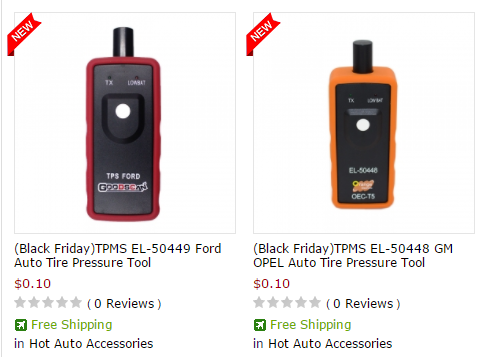
1.we will send EL-50449 or EL-50448 as Free Gift only $0.1 (You can't buy it separately)

From now on, you can buy the diagnostic tools at buyobdii.com, and you can only pay $0.1 for el-50448 or el-50449
123170541.png

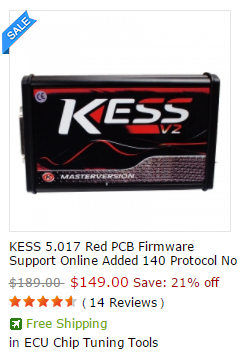
2.(Big Promotion) I only give you the link who has items with lowest price on Black Friday

(Hottest) 21% off: KESS 5.017 RED PCB ECU Programming Tool
71348.png
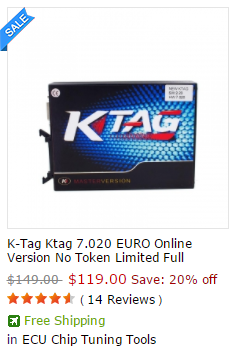
20% off : KTAG Firmware V7.020 ECU Programming Tool
1645.png
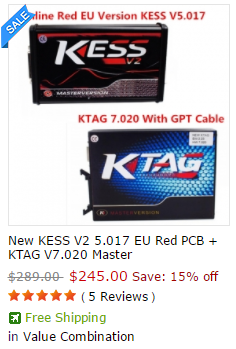
15% off : KESS 5.017 RED PCB + KTAG Firmware V7.020
1904.png


=======================
E-mail:buyobd@gmail.com
Skype:Marshall.obd2
Whatsapp:86-13476108995


Website : www.buyobdii.com
=======================


Tuesday, November 21, 2017

How FVDI Commander read and write data from MED17 EDC17?

FVDI Commander read and write data from MED17 EDC17


Please pay attention before you use FVDI and AVDI Commander :
1. Only FVDI and AVDI Commander can read and write data from MED17 EDC17 engine control unit and calculate 6 digit security byte.
2. New VW Magotan, Passat, CC engine type is MED17.5.XX . It is impossible to read out these models’ 7 digit security byte by only reading out data from comfort module, then it’s impossible to make new keys when all key lost and module programming.
3. VAG 18.0 or Newer version of FVDI commander can get 6-digit security byte and 5 digit login password by reading the data from MEDC 17 and get 7 digit security byte by reading data from comfort modules.
4. About connections, you have to prepare these tools:
PC, FVDI /AVDI, USB Cable, MEDC17 adapter, dongle, welding iron , solders , several 1K ohm resisters and 12V DC power supply.
Now we can begin to work:
1. From Picture 1 shows connections between AVDI FVDI ABRITES Commander , PC , Dongle , MEDC 17 adapter. Your PC has to connect with network.

2. Step by Step to operate
Step 1: Disassemble MEDC17 ECU, and then uncover it;
Step 2: Connect MEDC17 ECU under instructions;
Step 3. Connect FVDI with PC, Open VAG V21 and select special functions and select ” EDC17/MED17 Engine Control Unit”. It is shown as Picture 2.

3. Select correct MCU type and click ” CONNECT ” as Picture 3.
4. Read what you want to read.
5. Assemble MEDC17 ECU and install it to vehicle.

=======================
E-mail:buyobd@gmail.com
Skype:Marshall.obd2
Whatsapp:86-13476108995
Website : www.buyobdii.com
=======================

Friday, November 17, 2017

How to use 2015V FVDI ABRITES Commander with Fiat ?

Is 2015V FVDI ABRITES Commander Good For Fiat Diagnostic ?

Question quotated from Original Post in auto forums
“I would like to buy Fiat diagnostic but which can flash ecu`s or make a confugiration or coding..etc. Any advice? How about 2015V FVDI ABRITES Commander Full Version ? Is it a great choice ? Thanks.. ?
About this question,maybe different people will have different answers,yet,for me,V2015 FVDI will be a ideal optional. As we have known, 2015V FVDI ABRITES Commander with 18 free activated software,can do Diagnose + Odometer Correction+ Key Programmer + ECU Programmer and supports universal cars,see pix show

So,if you are looking for a Fiat Diagnostic tool for both ECU Programming and Key Programmer and so on,then buy 2015V FVDI is right for you  and now 15% off + free dhl shipping for 2015V FVDI ABRITES Commander is available at autocardiag.com ,you can check the best deal here : 2015V FVDI ABRITES Commander Full Version .
See best reasons to recommend 2015 FVDI ABRITES Commander For Fiat
1.Decent quality,highly performance and affordable price.
2. Multi-functions,can do Diagnose + Odometer Correction+ Key Programmer + ECU Programmer.
3.It is a professional tool for universal cars and supports multi-languages.
4.Supports special functions.
5.Easy to use,tested by  many users with a good reputation and will do a good job with fiat car.
6.Affordable price.


=======================
E-mail:buyobd@gmail.com
Skype:Marshall.obd2
Whatsapp:86-13476108995
Website : www.buyobdii.com
=======================

Rewiew : FVDI ABRITES Commander For Mercedes Benz

Customer Rewiew : FVDI  Mercedes  ABRITES Commander For  Benz I got the new version 2015 FVDI   Mercedes  has a USB dongle.don't bough...